
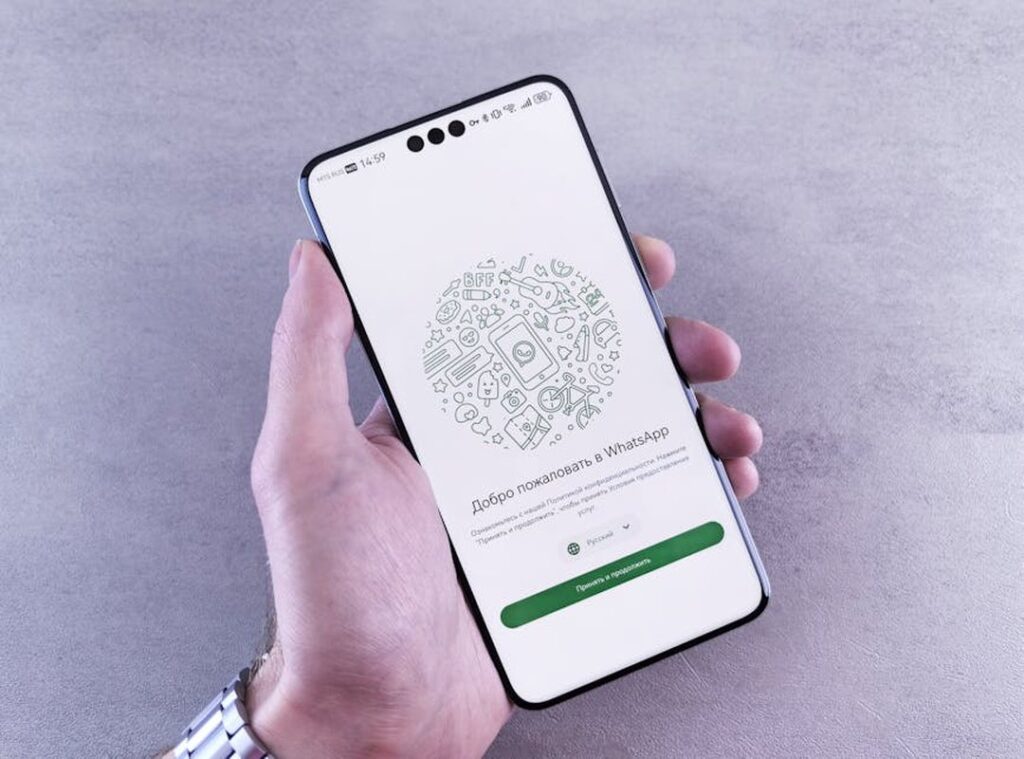
Your WhatsApp profile picture is often the first thing people see. It’s like a digital handshake in chats, groups, and contact lists.
This article is here to give you a complete guide. I’ll cover everything from the technical steps of changing your ff whatsapp dp to mastering privacy settings and fixing common issues.
You’ll get simple, step-by-step instructions for any device. No need to feel lost or confused.
Why does this matter? A well-managed profile picture enhances your personal brand. It also protects your privacy.
And it ensures you present yourself exactly how you want to online.
So, let’s dive in.
How to Change Your WhatsApp Profile Picture: A Step-by-Step Walkthrough
Changing your WhatsApp profile picture is a simple way to keep your profile fresh. Here’s how to do it on both Android and iPhone.
For Android Users
- Tap the three dots in the top right corner.
- Select Settings.
- Tap your current profile picture.
- Tap the camera icon.
For iPhone Users
- Tap Settings in the bottom right corner.
- Tap your profile name/picture at the top.
- Tap Edit.
- Tap Edit again on the picture.
Once you tap the camera or edit icon, you have three options:
– Camera: Take a new photo.
– Gallery/Photos: Choose an existing photo.
– Avatar: Use a custom digital avatar.
After selecting your photo, you can use WhatsApp’s built-in editor to crop and adjust the image. This ensures the best part of the photo is perfectly framed. Just move and resize the box to focus on the part you want to highlight.
If you prefer not to have a profile picture, there’s also a Remove Photo option. This lets you go back to having no picture at all.
Pro tip: Spend a few extra seconds adjusting the crop. It makes a big difference in how your ff whatsapp dp looks.
Who Sees Your Picture? Mastering WhatsApp’s Privacy Settings
Your profile picture is more than just a photo. It’s part of your digital footprint and can reveal a lot about you. Keeping it private is crucial for personal security.
Let’s break down the four privacy options: ‘Everyone,’ ‘My Contacts,’ ‘My Contacts Except…,’ and ‘Nobody.’
‘Everyone’ is the riskiest, and anyone, even strangers, can see your picture. Not a good idea if you value your privacy.
‘My Contacts’ is the balanced default. Only people in your contacts list can see your picture. This is a good middle ground for most users.
‘My Contacts Except…’ lets you exclude specific contacts. Perfect if you want to keep certain people, like work colleagues, from seeing your picture.
‘Nobody’ is for maximum privacy. No one, not even your contacts, can see your picture. But here’s the catch: if you set it to ‘Nobody,’ you won’t be able to see anyone else’s profile picture either.
It’s a reciprocal feature.
To find these settings, go to Settings -> Privacy -> Profile Photo. Simple, right?
Choosing the right setting depends on your comfort level and who you want to share your ff whatsapp dp with. Take a moment to think about it, and your privacy is worth the extra effort.
Troubleshooting Common Profile Picture Problems and Quick Fixes

Why can’t I see someone’s profile picture, and it’s a common question. Here are the possible reasons:
- They’ve set their privacy settings to restrict who can view their photo.
- They have removed their picture.
- You are not in their contacts.
- They may have blocked you.
If you’re seeing a blurry photo, it’s likely because WhatsApp compresses images. To fix this, upload a high-quality, square image with dimensions of at least 192×192 pixels. 500×500 is even better.
Sometimes, your profile picture doesn’t update for others. This can be due to a few things. Check your internet connection.
Clear the app cache. Or just wait a few minutes for the servers to sync.
A temporary profile picture might appear for a contact. This usually indicates a syncing issue on either the user’s or the contact’s end.
For more tips and tricks, check out this guide.
Using ff whatsapp dp can also help ensure your profile picture displays correctly.
5 Tips for Creating the Perfect WhatsApp Profile Picture
-
Use Good Lighting, and natural light is best. Face the light source to avoid shadows and create a clear, bright image.
-
Keep the Background Simple, and a cluttered background distracts from your face. Use a neutral wall or a blurred background to make your face the focal point.
-
Frame Your Face Correctly. A headshot or a photo from the chest up works best. Avoid full-body shots where your face is too small to recognize.
-
Show Some Personality. A genuine smile or a photo related to your hobby can make your profile more engaging and approachable.
-
Use AI & Apps. Free apps like Canva or AI avatar generators can help you create a unique or professional-looking picture that stands out.
When it comes to choosing between a natural photo and an AI-generated one, consider this: a natural photo shows your true self, while an AI-generated one can be more creative and polished. Both have their merits.
Think about what you want to project. If you’re going for authenticity, a well-lit, simple, and framed natural photo (ff whatsapp dp) might be the way to go. But if you want something unique and eye-catching, an AI-generated avatar could be perfect.
Your Profile, Your Control
You now know how to change your picture, lock down your privacy, fix common glitches, and choose an image that truly represents you. ff whatsapp dp is a small but powerful tool for managing your digital identity.
You have all the knowledge needed to handle your profile picture with confidence.
Go ahead and review your settings or upload that new photo you’ve been considering. You’ve got this.

 Christophere Goldenovelino is the kind of writer who genuinely cannot publish something without checking it twice. Maybe three times. They came to latest gaming news through years of hands-on work rather than theory, which means the things they writes about — Latest Gaming News, Esports Events and Highlights, Gaming Strategies and Tips, among other areas — are things they has actually tested, questioned, and revised opinions on more than once.
That shows in the work. Christophere's pieces tend to go a level deeper than most. Not in a way that becomes unreadable, but in a way that makes you realize you'd been missing something important. They has a habit of finding the detail that everybody else glosses over and making it the center of the story — which sounds simple, but takes a rare combination of curiosity and patience to pull off consistently. The writing never feels rushed. It feels like someone who sat with the subject long enough to actually understand it.
Outside of specific topics, what Christophere cares about most is whether the reader walks away with something useful. Not impressed. Not entertained. Useful. That's a harder bar to clear than it sounds, and they clears it more often than not — which is why readers tend to remember Christophere's articles long after they've forgotten the headline.
Christophere Goldenovelino is the kind of writer who genuinely cannot publish something without checking it twice. Maybe three times. They came to latest gaming news through years of hands-on work rather than theory, which means the things they writes about — Latest Gaming News, Esports Events and Highlights, Gaming Strategies and Tips, among other areas — are things they has actually tested, questioned, and revised opinions on more than once.
That shows in the work. Christophere's pieces tend to go a level deeper than most. Not in a way that becomes unreadable, but in a way that makes you realize you'd been missing something important. They has a habit of finding the detail that everybody else glosses over and making it the center of the story — which sounds simple, but takes a rare combination of curiosity and patience to pull off consistently. The writing never feels rushed. It feels like someone who sat with the subject long enough to actually understand it.
Outside of specific topics, what Christophere cares about most is whether the reader walks away with something useful. Not impressed. Not entertained. Useful. That's a harder bar to clear than it sounds, and they clears it more often than not — which is why readers tend to remember Christophere's articles long after they've forgotten the headline.